 Skip to content


Why Is My Chamberlain Garage Opener Beeping? Quick Fixes for a Chamberlain Garage Door Opener
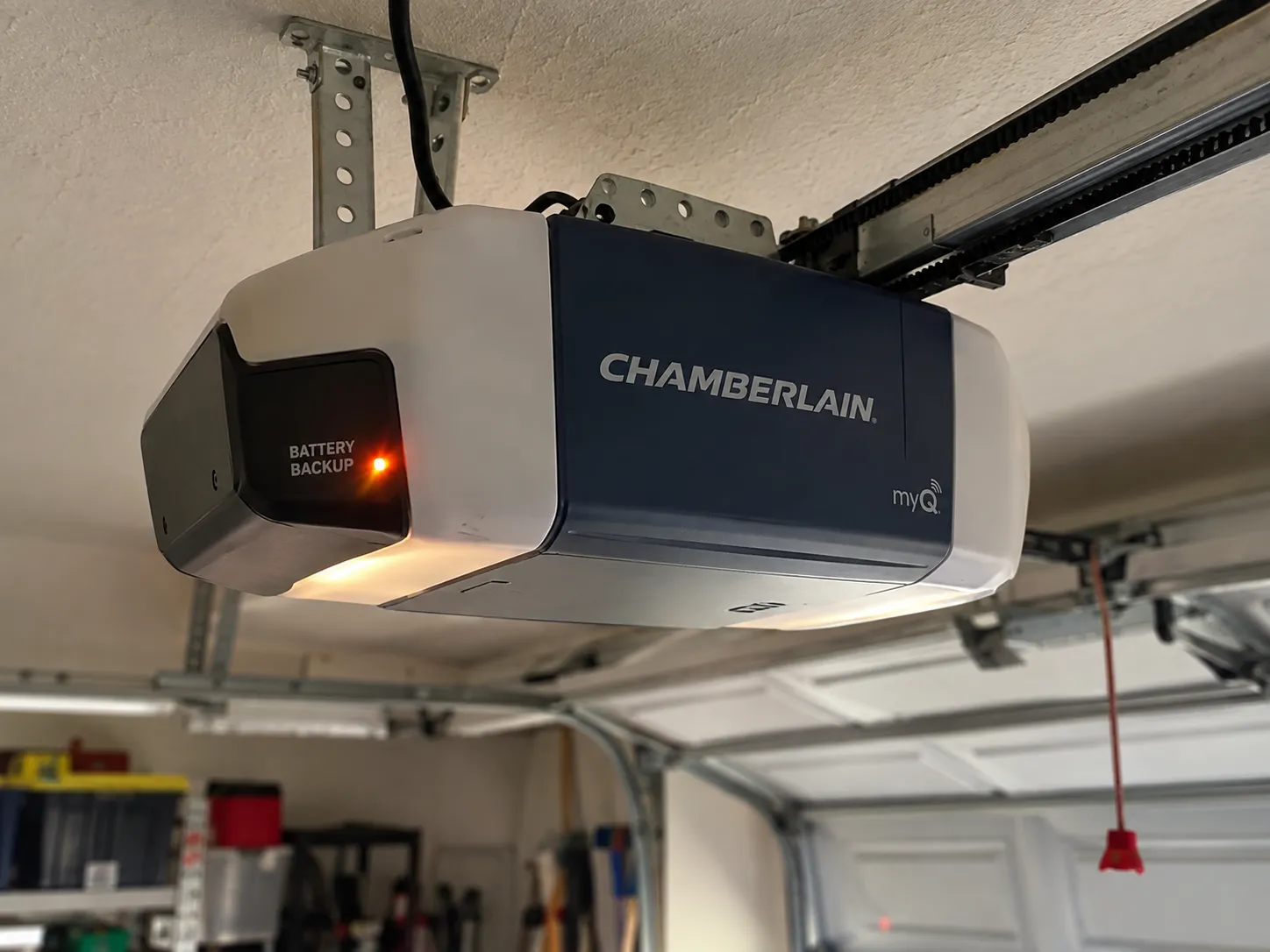
If your Chamberlain garage door opener is beeping, the sound is usually a status alert rather than a random malfunction. On Chamberlain openers with battery backup, beeping every 2 seconds usually means the opener is running on backup battery power, while beeping every 30 seconds can indicate a low or failed battery.
The color of the battery status LED provides another clue.
A solid orange light indicates battery operation. A flashing orange light can indicate a low battery, while a solid red light can mean the battery is no longer able to recharge.
For Texas homeowners, identifying the beep pattern first can help determine whether the problem is a power outage, weak battery, dead battery, or another opener issue.
Why Is My Chamberlain Garage Door Opener Beeping?
Quick answer: On Chamberlain battery-backup openers, the beep interval and battery LED color usually identify whether the opener is running on backup power, has a low battery, or has a battery that can no longer recharge.
A Chamberlain opener with battery backup uses audible beeps and LED indicators to communicate battery and power conditions.
According to Chamberlain, the two most important patterns are:
| Beep Pattern | Common Chamberlain Meaning |
|---|---|
| About every 2 seconds | Opener is operating from battery backup |
| About every 30 seconds with flashing orange LED | Backup battery is low |
| About every 30 seconds with solid red LED | Battery is dead or cannot recharge |
Usually means the opener is operating from its backup battery rather than normal household power.
A flashing orange battery LED commonly indicates that the backup battery charge is low.
A solid red battery LED can indicate that the battery has drained and can no longer recharge.
These patterns apply to Chamberlain battery-backup systems. Other models, accessories, or Wi-Fi devices may use different alerts.
That is why the sound should be checked together with the LED rather than diagnosing the opener from the beep alone.
Why Is My Chamberlain Garage Door Opener Beeping Every 2 Seconds?
A Chamberlain garage door opener beeping every 2 seconds generally means the unit has lost normal household power and is operating from the backup battery.
Chamberlain says the battery status LED should appear solid orange while the opener is running from battery power.
Start by checking whether the home or garage has power.
If the rest of the house has electricity, check whether the garage door opener is still plugged into a working outlet. You can test the outlet with another ordinary electrical device if it is safe to do so.
If utility power has returned but the opener continues operating from battery backup, the outlet, power connection, or opener may require further troubleshooting.
Safety note: Do not remove the opener housing or attempt internal electrical repair.
Why Is My Chamberlain Garage Door Opener Beeping Every 30 Seconds?
A Chamberlain garage door opener beeping every 30 seconds usually points to the backup battery.
The LED helps separate two conditions.
Flashing Orange LED
A flashing orange battery LED with a beep every 30 seconds means the battery charge is low.
If normal electrical power is available, the battery should recharge. Chamberlain states that the battery LED changes to flashing green while charging.
If the opener has power but the battery does not recover, battery replacement may be necessary.
Solid Red LED
A solid red battery LED accompanied by a beep every 30 seconds indicates that the battery has drained and cannot recharge.
Chamberlain recommends replacing the battery in this situation.
This is different from a temporary low-charge condition.

What Does a Chamberlain Battery Backup Beeping Mean?
Chamberlain battery backup beeping is designed to tell you what the backup system is doing.
A battery backup allows compatible garage door openers to operate during a power outage. Chamberlain states that its rechargeable backup batteries generally last about one to two years under normal usage.
Battery life can vary with use, age, temperature, charging conditions, and how often the opener operates during outages.
If the opener begins beeping after several years of service, battery condition is one of the first things to check.
Look at the battery LED before assuming the opener motor itself has failed.
What Do the Battery LED Colors Mean?
Chamberlain uses battery-status LEDs to help diagnose backup power.
Solid green: Battery is fully charged.
Flashing green: Battery is charging.
Solid orange: Opener is operating from battery backup.
Flashing orange: Battery charge is low.
A red battery LED indicates a battery that has drained and can no longer recharge.
If the opener also beeps every 30 seconds while normal power is available, replacement is generally needed.
How Do I Stop a Chamberlain Garage Door Opener From Beeping?
The correct solution depends on why it is beeping.
If the opener is running from backup power because of an outage, restoring normal AC power should allow the battery to begin recharging.
If the battery LED is flashing orange, give the battery time to recharge after normal power returns.
If the battery LED remains red, Chamberlain recommends battery replacement.
Match the fix to the warning. A 2-second beep usually points to backup operation, while a 30-second warning combined with the battery LED can help determine whether the battery is low or unable to recharge.
Chamberlain also provides a temporary method for stopping low-battery beeping while waiting for a replacement. The manufacturer says the opener can be unplugged, the backup battery disconnected, and the opener then plugged back into AC power.
Important: Only do this if normal household power is available and you are comfortable accessing the battery compartment according to the owner's manual. Disconnecting the battery disables backup operation during a power outage.

When Does a Chamberlain Garage Door Opener Battery Need Replacement?
A Chamberlain garage door opener battery replacement is usually appropriate when the battery can no longer hold or regain a charge.
Signs include:
- Beeping every 30 seconds with a solid red LED
- The battery does not recharge after normal power returns
- Repeated low-battery warnings
- The battery is already several years old
Chamberlain says backup batteries typically have an expected life of approximately one to two years with normal use.
That is a general estimate, not an exact expiration date.
Some batteries last longer, while others may need replacement sooner depending on operating conditions.
Which Replacement Battery Does a Chamberlain Opener Use?
Do not buy a replacement battery based only on voltage or appearance. Match the replacement battery to the specific Chamberlain opener model.
Chamberlain recommends using its OEM replacement batteries and matching the replacement part to the specific opener model.
The manufacturer maintains replacement-part listings for both current and discontinued Chamberlain opener models.
Older Chamberlain systems may use part numbers that have since been discontinued and replaced by newer compatible parts.
For example, Chamberlain identifies the older 041A6357-1 12-volt battery as discontinued and directs compatible applications toward updated replacement options.
Check the opener model number before ordering a replacement.
Is Beeping Always Caused by the Backup Battery?
No. Battery backup is a common explanation on compatible Chamberlain openers, but not every Chamberlain beep means the battery needs replacement.
Battery backup is one of the most common explanations on compatible Chamberlain openers, but Chamberlain also notes that some openers or connected accessories can beep for other reasons.
Models with Wi-Fi connectivity and accessories such as myQ devices may use sounds or LEDs during setup, operation, or status changes.
This is why you should first identify:
- Whether your opener has battery backup
- The exact beep interval
- The battery LED color
- Whether normal AC power is available
- Whether the opener is otherwise operating normally
If your Chamberlain opener does not have battery backup, do not assume a replacement battery will solve the problem.
What If the Opener Beeps After a Power Outage?
Beeping shortly after an outage can be normal on a battery-backup opener.
During the outage, the opener may switch to battery power and beep while operating.
After household power returns, the battery may begin charging again. A flashing green battery LED indicates charging on compatible Chamberlain systems.
If the opener continues beeping every 30 seconds and shows a red battery LED after normal power has returned, the battery may no longer be able to recharge.
That is when replacement becomes more likely.

What If the Battery Is Replaced but the Beeping Continues?
If you install the correct compatible battery and the warning continues, the issue may not be the battery itself.
Possible problems can include the charging system, battery connection, opener electronics, power supply, or another opener component.
Avoid replacing parts based on guesswork. If the correct battery does not resolve the warning, the opener may need further diagnosis.
Supreme's garage door opener repair service covers opener controls, receivers, brackets, and other opener problems when basic troubleshooting does not resolve the issue.
A technician can determine whether the battery is failing or the opener is not charging or recognizing it correctly.
Should You Replace the Battery or the Whole Opener?
A failed backup battery does not automatically mean you need a new garage door opener.
If the opener otherwise operates correctly and the problem is limited to a worn battery, replacing the battery may be enough.
A full opener replacement becomes a separate decision when there are additional problems such as repeated electronic failures, motor problems, damaged controls, compatibility limitations, or significant age-related wear.
Supreme's guide to garage door opener repair versus replacement explains the factors that can help separate a repairable opener problem from a situation where replacement may make more sense.
Conclusion
A Chamberlain garage door opener beeping is usually trying to communicate a specific battery or power condition. Beeping every 2 seconds generally means the opener is operating on battery backup, while beeping every 30 seconds commonly points to a low or failed battery.
The battery LED helps narrow down the cause. Solid orange indicates battery operation, flashing orange indicates a low battery, flashing green indicates charging, and a persistent red LED can indicate a battery that is no longer able to recharge.
If normal power has returned and the opener continues beeping, or the correct replacement battery does not resolve the warning, the issue may involve the charging system, power supply, electronics, or another opener component.
Chamberlain Garage Door Opener Still Beeping?
Get professional troubleshooting for Chamberlain battery, charging, power, and garage door opener problems in Texas and North Texas.
Schedule Garage Door Opener Service